Table of contents
Sign and send unlimited e-signatures with Xodo Sign.
Trying to make sense of Dropbox Sign pricing?
The headline price only tells part of the story. Before choosing a plan, you’ll also need to know:
- What does each Dropbox Sign plan include?
- How do costs change as your team grows?
- What limits apply to senders, templates, and key features?
- Could add-ons or custom pricing affect your final cost?
This guide brings those details together, compares costs across different team sizes, and helps you find the right option for your budget and signing needs.
How much does Dropbox Sign cost in 2026?
Dropbox, formerly HelloSign, has four main Dropbox Sign web plans:
- Free: $0/month
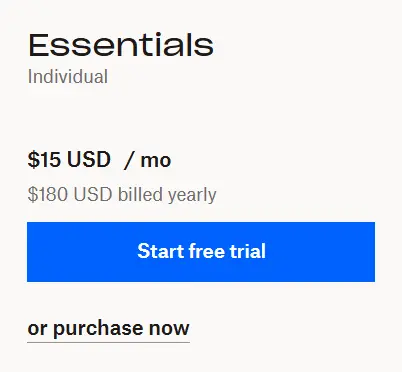
- Essentials: $15/month; $180 billed yearly
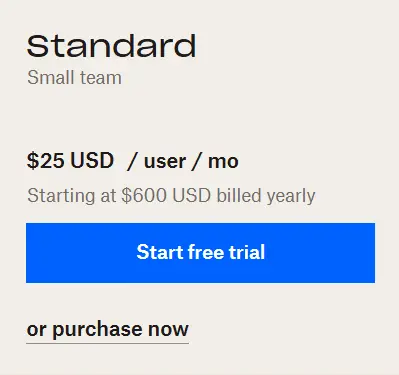
- Standard: $25/user/month; $600 billed yearly (2 users)
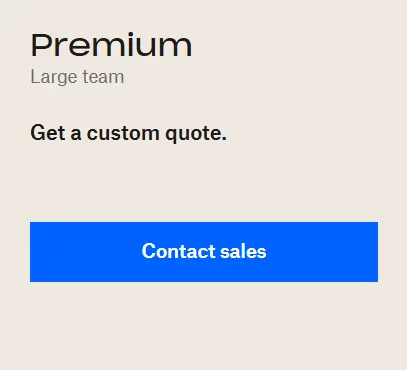
- Premium: Custom pricing
Free supports occasional signing. Essentials is designed for one regular sender. Standard starts with two senders and adds team features. Premium is aimed at larger organizations that need more advanced controls and custom terms.
How we researched Dropbox Sign pricing
This guide uses the official US Dropbox Sign pricing information from the English version of the website. Features were checked against the current pricing plans and information provided.
Prices use regular annual listed rates as the baseline. All figures are in USD and exclude taxes, add-ons, regional differences, and individually negotiated terms. The information was current as of August 24, 2026.
Dropbox Sign pricing plans
Note that for more than five users, Dropbox Sign directs buyers to its sales team, so larger-team costs based on the public per-user rate should be treated as estimates rather than quotes.
What is included in each Dropbox Sign plan?
1. Free: basic signing for occasional requests
The Free plan suits individuals and small businesses that send only a few waivers, agreements, or approvals each month.
Pricing:
- $0
- No paid subscription required
Signature requests:
- Three signature requests per 30-day cycle
- Multiple documents and signers can be included when sent together as one transaction
- Unlimited self-signing, which does not count toward the three-request allowance
Included features:
- Audit trail with completed signature requests
- Access to basic document signing tools
- Template Gallery browsing
Key limits:
- Three outbound signature requests per cycle
- Gallery templates require a trial or paid plan for signing
- No reusable-template allowance comparable to the paid plans
Best fit for:
- Occasional waivers or agreements
- Low-volume approvals
- Personal or basic signing needs
- Users testing Dropbox Sign before paying
2. Essentials: best for individual senders
Essentials suits solo professionals and business owners who regularly send agreements but do not need team access.
Pricing:
- $15 per month with annual billing
- $180 per year at the regular annual list price
- Based on annual billing
- 30-day free trial available
Signature requests:
- Unlimited signature requests
- Removes the Free plan’s three-request limit
Included features:
- Up to five templates or template links
- Individual sender access
Key limits:
- Limited to one sender
- Includes a maximum of five templates or template links
- Does not support a multi-sender team
Best fit for:
- Consultants
- Independent recruiters
- Freelancers
- Business owners who handle outgoing agreements alone
3. Standard: team tools with a two-sender minimum
Standard suits teams that need multiple senders, shared resources, centralized administration, and bulk sending.
Pricing:
- $25 per sender per month with annual billing
- $300 per sender per year
- Starts with two senders
- Regular minimum cost: $600 per year
- 30-day free trial available
Signature requests:
- Unlimited signature requests
- Bulk send supports template-based requests to as many as 250 recipients through a CSV workflow
Included features:
- Admin console
- Team roles
- Branding
- In-person signing
- Reporting
- Template sharing
- Bulk sending
- Up to 15 templates
Key limits:
- Two-sender minimum
- Maximum of 15 templates
- Buyers needing more than five users must contact sales
- Public-price calculations for larger teams are estimates
Best fit for:
- HR acknowledgements
- Releases and recurring notices
- Bulk signature campaigns
- Teams sharing templates
- Businesses that need branding, reporting, or centralized administration
4. Premium: custom pricing for advanced controls
Premium is designed for larger organizations whose security, administration, and reporting requirements extend beyond Standard.
Pricing:
- Custom quote based on organizational requirements
Signature requests:
- Unlimited signature requests
Included features:
- Unlimited templates
- SAML SSO
- Multi-team management
- Advanced reporting capabilities
- Expanded team-management and security controls
- Other enterprise-oriented options
Key limits:
- Final cost depends on the organization’s requirements and contract
- Buyers must contact Dropbox for a quote
Best fit for:
- Larger organizations
- Businesses managing several teams
- Companies with advanced security requirements
- Teams that need SAML SSO or expanded reporting
- Organizations with complex administrative structures
What does “unlimited signature requests” mean?
Unlimited signature requests are one of Dropbox Sign's strongest paid-plan advantages. By definition, a signature request is one transaction sent to one or more signers. It can include multiple documents when they are prepared and sent together.
On Essentials, Standard, and Premium, you aren't restricted to a small monthly number of signature requests, which can make costs more predictable by eliminating overage costs.
However, "unlimited signature requests" does not mean that every part of the service is unlimited. For instance:
- Sender seats: Essentials is built around one sender, while Standard starts with two.
- Templates: Essentials includes five templates or template links, Standard includes 15, and Premium includes unlimited templates.
- Bulk sending: Bulk send is available on Standard and Premium rather than Free or Essentials.
- API usage: Dropbox Sign API plans are separate and have their own pricing and request volumes.
- Advanced controls: Features such as multi-team management and SAML SSO sit higher in the plan range.
- Integrations and authentication: Some workflows or integrations can involve separate availability or commercial terms.
This distinction matters because document volume may not be the reason a business changes plans. A company can have unlimited requests but still need a higher tier because another employee needs sender access, because five templates are no longer enough, or because centralized administration becomes important.
How does sender count affect Dropbox Sign pricing?
Sender count creates one of the clearest shifts in Dropbox Sign pricing.
A single regular sender can use Essentials for $180 per year. When the workflow requires two separate senders, Standard begins at $600 per year.
The five- and 10-sender Dropbox Sign figures are public-list-price estimates calculated at $300 per sender per year. However, larger-team pricing can differ once sales terms are involved.
The takeaway? Teams should determine which capabilities they actually require before assuming that adding senders has to mean accepting a higher per-user plan. Compare Essentials and Standard plans carefully according to team needs instead of just the head count.
Which Dropbox Sign limits can increase your cost?
When choosing a plan, the listed price won't always be the total cost you'll pay. Here are some of the limits that may add to the overall charge.
i) Templates
A solo sender who repeatedly uses only a few agreements may be comfortable with Essentials' five templates or template links. A busier HR, sales, or operations workflow can outgrow that allowance. Standard raises the limit to 15, while Premium includes unlimited templates.
ii) Administration and branding
Essentials is designed around an individual sender. Standard introduces centralized team management and branding controls, including the ability to manage users and configure settings from the admin console.
These features become more important when several employees send customer-facing agreements and the business wants greater consistency and oversight.
iii) Bulk sending
Standard and Premium support bulk sending, which can send a template-driven request to as many as 250 recipients through a CSV workflow.
That can be useful for policy acknowledgements, releases, consent forms, or other repeatable campaigns. It is a separate workflow capability rather than another meaning of "unlimited signature requests."
iv) Authentication and document security
Dropbox Sign provides audit trails and records signing activity for completed requests with legally binding signatures under applicable US e-signature law.
Specific legal requirements still depend on the agreement, parties, identity controls, and jurisdiction. Businesses with stricter authentication, security, or compliance requirements should verify the security needed to find the exact plan that can meet those needs.
v) Sender count
This is easy to overlook because Essentials already offers unlimited signature requests.
If one person sends every agreement, Essentials may be sufficient even at relatively high signing volume. If two or more employees need their own sender access, however, the plan structure changes.
That is why sender count can matter as much as document volume when estimating the real annual cost.
Paying for Essentials, Standard, or Premium in the Dropbox Sign web application doesn't convert unlimited web signature requests into unlimited API usage. Dropbox Sign API is a separate product line with its own pricing which falls out of the scope of this guide.
Is Xodo Sign a lower-cost alternative for teams?
For teams whose main challenge is adding senders while keeping costs down, Xodo Sign can provide you with another approach.
The following examples compare regular Dropbox Sign prices with Xodo Sign's pricing plans. They are cost comparisons, not claims of feature parity.
Xodo Sign Basic
Xodo Sign Basic costs $10 per paid user per month with annual billing, or $120 per user per year. It includes:
- Unlimited documents
- Three reusable templates per user
- Additional paid seats without requiring an upgrade to Professional
The plan can fit a small business that needs several people sending routine agreements but doesn't need the broader feature set included with Dropbox Sign Standard. For a two-person team, that means:
- Xodo Sign Basic: $240/year
- Dropbox Sign Standard: $600/year minimum
- Difference: $360/year, or 60%
The two plans are not feature-equivalent, so the comparison is most relevant when the team's requirements are primarily core e-signing and multiple sender access.
Basic is best suited for teams that mainly need affordable multi-user access and core e-signing workflows. Check out our guide for a closer comparison of how Dropbox Sign and Xodo Sign provide team value.
Xodo Sign Professional
Xodo Sign Professional costs $16 per paid user per month with annual billing, or $192 per user per year. It adds:
- Unlimited templates
- Custom branding
- In-person signing
- Advanced PDF editing
- Included bulk-send credits
- Included SMS credits
At regular annual pricing, Professional costs 36% less per user than Dropbox Sign Standard:
- Xodo Sign Professional: $384/year
- Dropbox Sign Standard: $600/year
- Difference: $216/year
The main advantage is flexibility: a Xodo Sign team can upgrade to Professional only when the team needs its additional workflow features.
As a Dropbox Sign alternative, Xodo Sign provides a lower cost option where it matters most.
Which Dropbox Sign plan is right for you?
To sum up which the plan fit for your needs:
- Dropbox Sign Free can work when three signature requests per 30-day cycle are enough and the main need is occasional signing.
- Dropbox Sign Essentials is the logical Dropbox Sign choice for one regular sender who wants unlimited signature requests and needs no more than five templates or template links.
- Dropbox Sign Standard becomes relevant when a team needs multiple sender accounts together with features such as centralized administration, branding, reporting, in-person signing, shared templates, or bulk sending.
- Dropbox Sign Premium is aimed at organizations whose requirements extend into areas such as unlimited templates, SSO, more complex team structures, and enterprise controls.
Teams mainly looking for affordable multi-sender access should also compare Xodo Sign Basic. When unlimited templates, branding, in-person signing, or advanced PDF editing matter, Xodo Sign Professional can provide an option with the broader fit.
The best e-signature software choice ultimately depends on more than signature volume. Sender count, templates, administration, and workflow requirements can have a greater effect on total cost.
Frequently asked questions
1. How much is Dropbox Sign per month?
- Dropbox Sign Essentials costs $15 per month with annual billing, or $180 per year for one sender.
- Standard costs $25 per user per month with annual billing and starts with two users for a minimum annual cost of $600.
- Premium uses custom pricing.
2. Does Dropbox Sign have a free plan?
Yes. Dropbox Sign Free includes three signature requests per 30-day cycle plus unlimited self-signing. A single signature request can include multiple documents and multiple signers when they are prepared and sent together as one transaction.
3. Is Dropbox Sign unlimited?
Yes. Paid Dropbox Sign web plans include unlimited signature requests. It does not include unlimited users, templates, API usage, bulk sending, integrations, or advanced team features. Those limits depend on the plan you choose.
4. How much does Dropbox Sign cost for five or 10 senders?
At the regular Standard rate of $300 per user per year:
- Five users would cost an estimated $1,500 annually
- Ten users would cost an estimated $3,000 annually
These figures should be treated as public-price estimates.
5. Can I pay for Dropbox Sign monthly instead of annually?
Yes. Dropbox Sign offers both monthly and annual billing. Annual billing generally provides a lower effective monthly rate, while monthly billing offers more flexibility.
6. Does Dropbox Sign charge per document or signature request?
No. Dropbox Sign does not use pay-per-document pricing for its standard paid web plans. Instead, paid plans include unlimited signature requests. A signature request can contain multiple documents and multiple signers when they are sent together as one transaction.
7. How long is the Dropbox Sign free trial?
The Dropbox Sign trial lasts for 30-days where you can try its paid features for free. Billing begins after the trial ends unless it is canceled beforehand.
Match Dropbox Sign pricing to your team’s needs
Dropbox Sign’s paid plans offer a clear advantage: unlimited signature requests. But the right plan depends on more than sending volume. The important pricing question is what happens when your workflow changes:
- How many people need to send documents?
- How many reusable templates you need?
- Do centralized team controls matter?
- Do features such as bulk sending or branding are essential?
Answering those questions gives you a clearer picture of which Dropbox Sign plan actually fits your team.
If the main pressure point is adding more senders rather than needing Standard’s broader team features, it's worth looking at other options like Xodo Sign with a free trial, as well.