
Table of contents
Sign and send unlimited e-signatures with Xodo Sign.
For many small businesses, e-signature software starts as a simple need: send a contract, get it signed, and keep a clean record.
The challenge is that “free” plans can be too limited, while paid plans can include features small teams do not need yet. The right choice depends less on the longest feature list and more on your monthly document volume, number of senders, and how often you reuse the same forms or agreements.
This guide compares free and low-cost e-signature software for small businesses in 2026, with a focus on practical limits, starting prices, and which tools are easiest to justify on a small budget.
Best free and affordable e-signature software for small businesses at a glance
Note: Pricing and plan limits can vary by billing frequency, region, promotions, taxes, and provider updates. Always check the provider’s pricing page before choosing a plan.
How we chose these tools
Each tool on this list had to meet a clear baseline. To make the cut, the platform needed to offer real value for small businesses either through a free plan, a free trial, or a low-cost entry plan.
This list prioritizes tools that offer:
- A usable free plan, free trial, or low-cost starting plan
- Pricing that small businesses can understand before signing up
- Core e-signature features such as sending, signing, audit trails, and reminders
- Practical limits for freelancers, founders, and small teams
- Legally binding e-signatures with support for common frameworks such as ESIGN, UETA, or eIDAS
- A setup experience that does not require enterprise onboarding
- A good fit for everyday documents such as contracts, quotes, onboarding forms, approvals, NDAs, and service agreements
- An average rating of 4.3 stars or higher on G2 or Capterra
The goal is not to find the most powerful platform overall. It is to help small businesses find an e-signature tool that fits their real signing volume, budget, and workflow without paying for enterprise features they are not ready to use.
When is a free e-signature tool enough?
A free e-signature plan can be enough if you only send a few documents per month, work alone, and do not need many templates, shared users, or advanced workflow controls.
- You hit monthly document or envelope limits
- More than one person needs to send documents
- You want reusable templates
- You need faster document turnaround
- You want better branding, reminders, or workflow controls
- Signing delays start affecting revenue or operations
In other words, free is useful when your signing needs are occasional. Paid becomes worthwhile when e-signatures become part of your regular business process. Understanding common e-signature pricing models can make it easier to compare costs accurately.
Best free and low-cost e-signature software for small businesses in 2026
1. Xodo Sign: best for predictable signing costs as your document volume grows
Why it made the list:
Xodo Sign is a strong all-around option for small businesses that want legally binding e-signatures, audit trails, and practical tools without enterprise pricing and complexity. The platform is simple enough for small teams to start with, but it also gives businesses room to grow into more advanced workflows when their signing needs increase.
Pricing:
- Free plan: $0 (no monthly cost)
- 7-day Free trial
- Basic plan: $10/user/month with annual billing
The free trial unlocks Professional plan features and doesn't require credit card details, making it easy to test without a big commitment.
Best for:
Xodo Sign is best for small businesses, freelancers, founders, and lean teams that want affordable e-signing, clear pricing, and room to grow into more complete document workflows.
2. Zoho Sign: best if your business already runs on Zoho
Why it made the list:
Zoho Sign is a natural fit for small businesses already using Zoho CRM, Zoho Books, Zoho Mail, or other Zoho apps. It gives teams a way to add e-signatures without leaving the broader Zoho ecosystem.
Pricing:
- Free plan: $0 (no monthly cost)
- 14-day Free trial
- Standard plan: $10/user/month with annual billing
The Free plan is capped at 5 envelopes per month and is designed for light usage. The paid plan unlocks more usage and flexibility with 25 envelopes per month.
Best for:
Zoho Sign is best for small businesses already using Zoho or looking for a broader business app ecosystem that includes e-signatures.
3. SignNow: best for teams ready to start with a low-cost paid plan

Why it made the list:
SignNow focuses on electronic document signing with minimal friction. The signing process is straightforward for both senders and recipients, which makes it easy to roll out. On the Business plan, teams can bulk send, making it ideal for repeat agreements or onboarding forms.
Pricing:
- Free plan: $0 (no monthly cost)
- 7-day Free trial
- Business plan: $8/user/month with annual billing
The 7-day free trial unlocks Enterprise features. After the trial ends, functionality will become limited, but you can still access any existing documents you created or saved.
Best for:
SignNow is best for small teams that already know they need a paid signing tool and want a low starting price.
4. Dropbox Sign: best for occasional signatures inside a Dropbox workflow
Why it made the list:
Dropbox Sign is a familiar option for freelancers, solo businesses and small teams, especially those already using Dropbox to store and manage files.
Pricing:
- Free plan: $0 (no monthly cost)
- 30-day Free trial
- Essentials plan: $15/user/month
The Free plan allows three signature requests per month, while self-signing is unlimited. This works for occasional use, though many businesses outgrow it fast.
Best for:
Dropbox Sign is best for freelancers or very small teams that already use Dropbox and only need to send a few signature requests each month.
5. DocHub: best for editing PDFs before sending them for signature
Why it made the list:
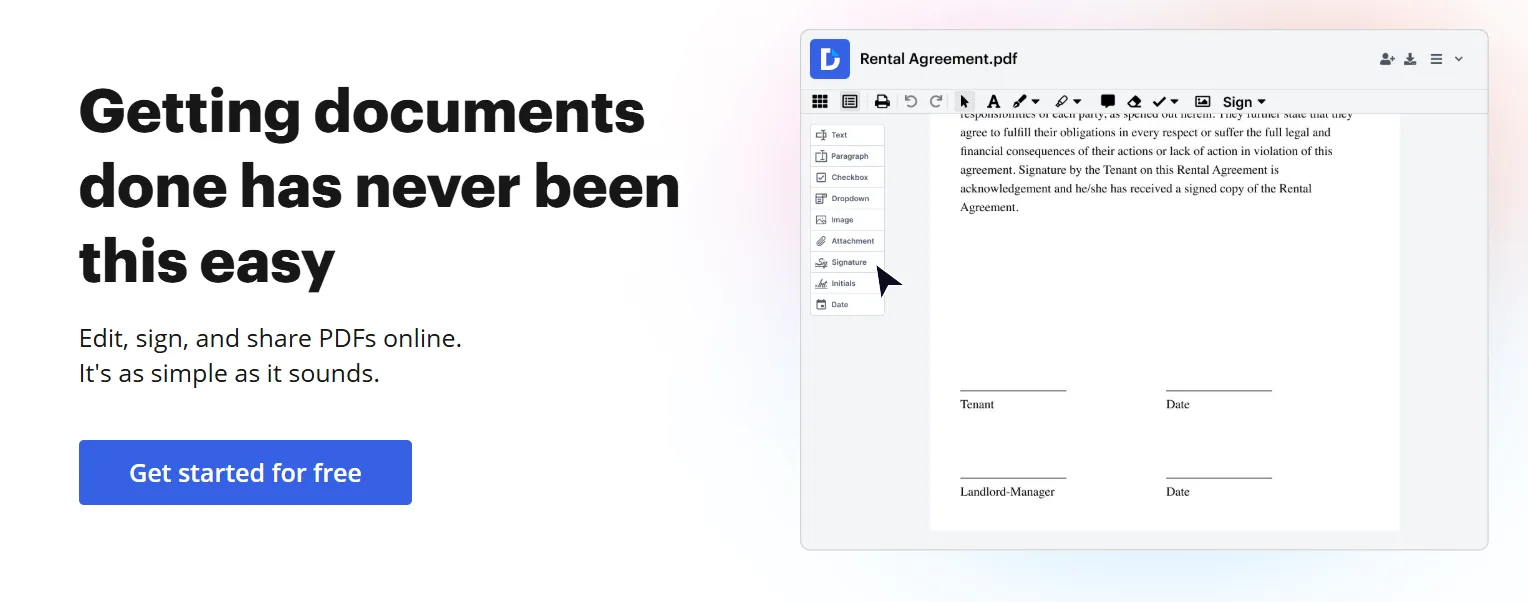
DocHub makes sense for teams that do more than collect signatures. If you clean up forms, annotate file and then send them out for signing, DocHub’s mix of editing and signing can be more practical than using separate tools.
Pricing:
- Free plan: $0 (no monthly cost)
- 30-day Free trial
- Basic plan: $8/user/month with annual billing
The Free plan includes PDF document editing for up to three documents and five e-signatures per month.
Best for:
DocHub is best for small businesses that need to edit, mark up, or prepare PDFs before sending them for signature.
6. BoldSign: best for micro-businesses with fluctuating signing needs
Why it made the list:
BoldSign is one of the more generous free options for very small businesses. If your main need is sending signature requests without paying on day one, its free tier can add real value when signing volumes are inconsistent.
Pricing:
- Free plan: $0 (no monthly cost)
- 30-day Free trial
- Growth plan: $5/user/month with annual billing
The Free Essentials plan includes up to 25 envelopes per month. The paid entry point bumps that up to 50 envelopes per month per month, which makes it attractive for budget-conscious teams.
Best for:
BoldSign is best for solo users, founders, and micro-businesses that want a generous free starting point and a low-cost upgrade path.
7. SignRequest: best for simple, lightweight signing

Why it made the list:
SignRequest is a lightweight e‑signature tool that is straightforward with a user friendly interface. It offers no bells and whistles with its free and affordable paid plans for steady use, which can be enough for many small teams.
Pricing:
- 14-day Free trial
- Free plan: $0 (no monthly cost)
- Professional plan: €9/user/month with annual billing
While the low-tier and free plans are extremely limited for any multi‑step workflow, they start off by offering unlimited documents and 5 templates for 1 team.
Best for:
SignRequest is best for small businesses that want simple, no-frills e-signature sending and do not need deep automation, complex team controls, or a sales-document platform.
8. PandaDoc: best for sales teams that need documents plus signatures
Why it made the list:
PandaDoc is a strong option for small teams that want e-signatures and tools that are more sales-oriented. While known as a feature-heavy tool, PandaDoc makes the list because its lowest paid plan unlocks unlimited uploads and e-signatures.
Pricing:
- 14-day Free trial
- Free plan
- Starter paid plan: $19/user/month with annual billing
Its free account is good for occasional use with up to 60 documents per year. Though it may feel tight if your business sends contracts every week.
Best for:
PandaDoc is best for small sales teams that send proposals, quotes, or sales agreements and want light document workflow features alongside e-signatures.
How to avoid picking a plan you will outgrow in a month
Choosing the right e-signature tool starts with your actual signing habits, not the biggest feature list.
Before you choose a free or low-cost plan, ask:
- How many documents do we send for signature each month?
- How many people need to send documents?
- Do we reuse the same forms, contracts, or agreements?
- Do we need templates?
- Do we need PDF editing before signing?
- Do we need reminders, audit trails, or signer authentication?
- Do we work mostly alone, or as a team?
- Will our signing volume grow over the next few months?
- Are there compliance requirements we need to consider?
- How easy is the tool for recipients to use?
For many small businesses, the best plan is not the cheapest one on paper. It is the one that removes bottlenecks without adding unnecessary cost or complexity.
A free plan can be perfect for occasional sending. A low-cost paid plan becomes more practical when it saves time, supports repeat workflows, and helps documents move faster.
Frequently asked questions
1. What is the best low-cost e-signature software for small businesses?
The best low-cost e-signature software depends on how many documents you send each month and how many people need to send them. Xodo Sign is a strong all-around option for small businesses that want simple signing, unlimited e-signatures, audit trails, and predictable pricing.
2. How many documents do free e-signature plans usually include?
Free-plan limits vary widely. Some tools allow only a few signature requests per month, while others use annual document caps or envelope-based limits. When comparing free plans, check whether the limit applies to documents, envelopes, signature requests, signers, completed documents, or users. These terms are not always interchangeable.
3. What is an envelope in e-signature software?
An envelope is usually one signature transaction or workflow. It may contain one or more documents and one or more recipients, depending on the provider. Because each tool counts usage differently, envelope limits should not always be compared directly with document limits. A plan with 25 envelopes per month may be more useful than a plan with 25 individual document sends, depending on how the provider defines usage.
4. How many documents do free plans usually include?
Common document limits included with free plans usually range from 3 documents per month to 10 documents per month, though some tools use annual or weekly caps instead.
5. When should a small business move from free to paid e-signature software?
A small business should move from free to paid e-signature software when the free plan starts slowing work down. Common signs include hitting monthly limits, needing more than one sender, recreating the same document repeatedly, wanting reusable templates, or needing better reminders and tracking.
6. What should small teams look for first?
Small teams should start with monthly document limits, number of senders, template access, audit trails, and ease of use. For most small businesses, those five factors matter more than advanced enterprise features.
7. What is the difference between low-cost and enterprise e-signature software?
Low-cost e-signature tools usually focus on sending, signing, templates, reminders, audit trails, and simple workflows. Enterprise e-signature software often adds advanced admin controls, custom procurement, large-scale automation, deeper integrations, identity verification options, complex permissions, and contract lifecycle management features.
8. Is Xodo Sign good for freelancers and founders?
Yes. Xodo Sign is a practical fit for freelancers, founders, and lean teams that want affordable e-signatures with room to grow. The free plan works for occasional signing, while the paid plans give businesses more flexibility as document volume increases.
Start with your real signing volume, not the longest feature list
The best e-signature tool for a small business is the one that fits your document volume, team size, and day-to-day workflow.
For some teams, a simple free e‑signature tool can be enough. For others, paying a small monthly fee can quickly be worth it if it unlocks templates, higher limits, better tracking, and fewer signing delays.
If you want a signing tool that is simple to test and easier to budget for, Xodo Sign is a good place to start. You can begin with the free plan, review the available pricing plans, or try Professional features before committing. Then compare the limits against your actual monthly document volume.