Table of contents
Sign and send unlimited e-signatures with Xodo Sign.
You've probably experienced it before. Someone sends you a contract. It needs to be signed today. But you’re nowhere near a printer. Or a scanner. Or a fax machine.
That’s exactly the problem e‑signatures solve.
With an electronic signature, a person can review and sign a document online using a computer, tablet, or phone. The sender can prepare the document, add signing fields, send it to one or more people, and track progress without handling paper.
This guide explains what an e-signature means, how it works, where it is commonly used, and what to know about legality and security before you sign or send documents online.
What is an e‑signature?
An e-signature, or electronic signature, is a digital action of showing agreement, approval, or consent to a document without using pen and paper.
It can be as simple as:
- Typing your name into a signature field
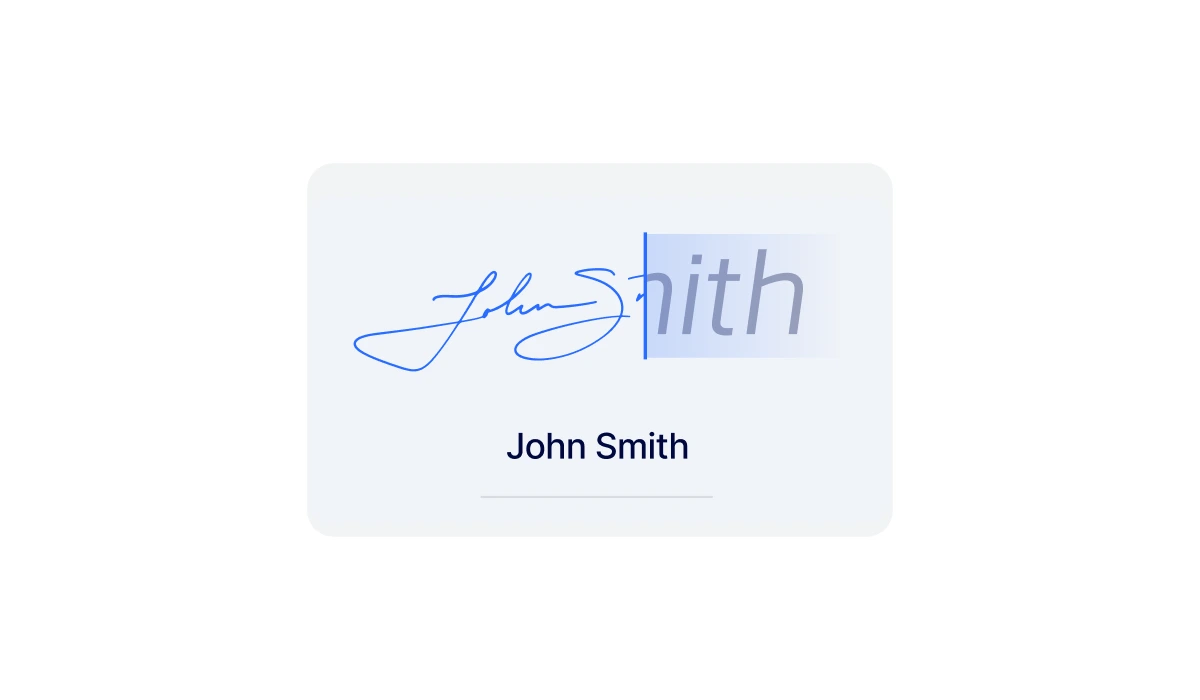
- Drawing your signature with a mouse or finger
- Clicking a button that says “I agree”
- Applying a secure signature through an online e-signing tool
E‑signatures are commonly used for business contracts, forms, approvals, NDAs, HR paperwork, and client agreements.
How do electronic signatures work?
At a high level, electronic signatures follow a simple flow:
- A document is uploaded or created
- Signature fields are added for each signer
- The document is sent electronically
- Each signer reviews and signs online
- The completed document is saved
Behind the scenes, most e‑signature tools will capture supporting details when you sign, such as:
- Timestamps
- Email addresses
- IP addresses
- Signing order
- Document status changes
This information creates an audit trail that shows how the document moved through the signing process.
Common ways to create an e-signature
There isn’t just one way to create an e‑signature. In practice, most people use one of a few simple methods, depending on the document and the situation.
- Typed signatures
A signer types their name into a signature field. This method is fast and familiar and common for everyday agreements. - Drawn signatures
A signer draws their signature using a mouse, stylus, or touchscreen. This feels closest to signing on paper. - Uploaded signature images
A scanned or photographed handwritten signature is placed into the document. - Click‑to‑sign actions
A signer clicks a button or checkbox to accept terms. Often used for forms or internal approvals.
All of these fall under the umbrella of electronic signatures. The right type depends on the document, risk level, and business context.
E‑signature vs digital signature: what is the difference?
Electronic and digital signatures are often used interchangeably, but they are not exactly the same.
Electronic signature (e-signature)
An e-signature is any electronic method used to indicate agreement or approval of a document. It can take many forms, including typing a name, drawing a signature, clicking an acceptance button, or signing through an online signing platform.
Digital signature
A digital signature is a specific type of electronic signature that uses cryptographic technology to verify a signer's identity and help detect whether a document has been modified after signing.
In short, all digital signatures are electronic signatures, but not all electronic signatures are digital signatures. Most everyday business documents can be signed using standard e-signatures, while highly regulated or sensitive transactions may require digital signatures.
Are e‑signatures legally binding?
In many regions, yes, e-signatures are legally binding. However, legal validity depends on several factors.
E‑signatures are widely recognized under laws that generally say a signature cannot be denied legal effect solely because it is electronic.
These include laws such as:
- The ESIGN Act and UETA in the United States
- eIDAS in the European Union
Some documents may still require paper signatures, witnesses, or notarization, depending on local rules. For specific legal requirements, review applicable laws or consult legal counsel.
What makes an e-signature valid?
For an e‑signature to hold up, it needs to show intent, consent, and a clear connection between the signer and the document. Legality depends on:
- Intent: The signer intended to sign the document.
- Consent: The signer agreed to use an electronic process for signing.
- Record association: The signature is connected to the document being signed.
- Identity and attribution: There's a way to identify the signer digitally.
- Document retention: The signed document can be stored and reproduced later.
- Audit trails: There's a detailed record tracking what actions took place on the document.
Can an e-signature be used in court?
In many jurisdictions, yes. Courts generally accept electronic signatures as evidence when there is a reliable way to show who signed the document, what was signed, and when the signing occurred. Audit trails and signer records often help establish that evidence.
What documents can you sign electronically?
Most everyday business documents can be signed electronically, as long as they don’t require a handwritten signature by law. Electronic signatures are commonly used for:
- Non‑disclosure agreements (NDAs)
- Sales contracts and proposals
- Employment agreements
- Client and vendor agreements
- HR onboarding forms
- Consent forms
- Internal approvals
In short, if a document does not explicitly require a handwritten signature by law, it’s often a good candidate for online electronic signing.
What makes an e‑signature secure?
Security depends less on the signature style and more on the tool used. A trustworthy e‑signature platform typically includes:
- Secure document storage
- Access controls
- Tamper‑evident records
- Timestamped audit trails
- Completed document records
These features help show that a document hasn’t been altered and that each signer completed their part.
When should you use an e‑signature tool?
You could sign a PDF by pasting an image of your name. But that approach falls apart quickly. An e‑signature tool makes sense when you need:
- A way to sign electronic forms or documents
- To collect signatures from multiple signers
- To set up a clear signing order
- Status tracking for your document
- Reusable templates to set up frequently used forms
- A record of completed documents
If your team sends contracts or approvals regularly, using e-signature focused tools like Xodo Sign saves time and avoids confusion.
How does Xodo Sign help with online e-signing
Xodo Sign is a practical e‑signature tool for sending, signing, tracking, and managing documents online.
Teams use it to:
- Send out digital documents for legally binding signatures
- Add signer fields and signing order
- Track document status in real time
- Store completed agreements with audit records
For teams that regularly send documents for signature, Xodo Sign can help manage signer fields, signing order, document status, templates, and audit records in one secure workflow.
Frequently asked questions
1. Do e‑signatures work for internal approvals?
Yes. Many teams use e‑signatures for expense approvals, policy acknowledgments, and internal sign‑offs that don't require legal validation.
2. Can I type my name as an e-signature?
Yes. Typing your name can count as an electronic signature if it’s part of a process that captures intent and ties the signature to the document.
3. Are e-signatures safe for business contracts?
E-signatures are widely used for business contracts. Safety depends on the workflow, signer verification, document controls, and recordkeeping. Always use a trusted e-signature tool and get legal guidance when needed.
4. How do I know if a signed document was changed?
You can tell if a document was changed by looking at its audit trail. Many e‑signature platforms include this feature to keep a tamper‑evident record showing if changes were made after signing.
5. What is the best way to send a document for e-signature?
The best method is to use an e-signature tool that lets you add required fields, assign signers, track status, and keep a completed document record.
6. Can I reuse the same document for multiple signers?
Yes. Templates let you reuse the same document layout while sending it to different people.
7. What happens after everyone signs?
The completed document is typically locked and stored with a signing record that shows who signed the document and when.
8. Do e‑signatures replace wet signatures completely?
No, e-signatures don't always replace wet signatures. Some documents still require handwritten signatures depending on local laws and the type of document being signed.
Putting e‑signatures to work
E‑signatures remove friction from one of the most common business tasks: getting electronic documents signed.
They replace printing, scanning, and chasing people down with a simple online process.
Simple documents may only need a secure electronic signature. For repeatable workflows, multiple signers, bulk sending and clear electronic records, a tool like Xodo Sign helps keep the process organized from start to finish.
Ready to try sending and signing documents online? Xodo Sign offers a 7-day free trial - no CC required.