
Table of contents
Sign and send unlimited e-signatures with Xodo Sign.
Many teams evaluate Xodo Sign alongside PandaDoc when they need reliable e‑signature capabilities.
If you're looking for an alternative to PandaDoc, this guide breaks down how both platforms differ in workflow, pricing, setup, and everyday use.
Quick summary
PandaDoc is built around proposal creation, quotes, and sales workflows, with e‑signatures included as part of a broader system. Xodo Sign focuses on fast, compliant e‑signature workflows with predictable pricing and easier setup. Teams that only need to send and complete documents benefit from simpler steps and lower costs with Xodo Sign.
1. How do Xodo Sign and PandaDoc compare on pricing?
PandaDoc and Xodo Sign follow different pricing models that match their focus.
PandaDoc ties higher‑tier plans to proposal tools and content management features. Xodo Sign keeps pricing focused on e‑signing workflows, which helps teams predict costs and avoid paying for sales‑specific tools they may not need.
Teams can save up to 67% with Xodo Sign Professional compared to PandaDoc Business when they only need e‑signatures and not proposal software.
2. Which platform is easier to set up and use?
The onboarding and ease of use are important differentiating factors to note between the two platforms.
Xodo Sign: fast setup for standard documents
Xodo Sign is focused on uploading, preparing, editing and sending documents. The user interface is built for teams that have standard forms and agreements and want a quick way to get them signed:
- Legal professionals
Faster document prep and transparent audit trails. - Real estate agents
Quick turnaround for contracts and collecting signatures sooner. - Admin and operations
Send, track, and complete documents without extra steps.
You can usually go from account creation to sending your first document in a few minutes. There is no need to configure complex templates, pricing tables, or content libraries first.
PandaDoc: more setup, more tools
PandaDoc includes more tools, such as proposal builders, content libraries, and payment modules. This benefits sales teams that need to:
- Send branded service proposals.
- Manage and deliver accurate quotes.
- Collect payments from customers.
This helps sales teams that need to send detailed proposals and collect payments in the same workflow. It also means more setup time for teams that only need e‑signatures, because they still interact with these extra modules.
3. How do e‑signature features compare?
Both PandaDoc and Xodo Sign support secure, legally binding signatures. The main difference is how focused each platform is on e‑signing versus broader sales workflows.
Xodo Sign includes the essential signing features teams need without proposal‑related complexity:
- Field Types
Includes key fields for signing such as text fields, initials, signatures, and dates. - Templates
Xodo Sign supports templates for recurring documents, keeping workflows lean. - Multi-signer flows
You can set up a signing order for multi-signer agreements keeping the process organized. - Audit trails
View detailed audit trails attached directly to completed PDF documents. - Legally binding compliance
Comply with major e‑signature standards like ESIGN and eIDAS regulations. - Speed of authoring/signing
Xodo Sign focuses on manually placing signing fields which is quicker and more accurate.
PandaDoc includes e‑signatures as part of its proposal toolkit. You can still send documents for signature only, but the environment has more options related to:
- Pricing tables
- Content blocks
- Approval workflows
These are powerful for sales teams. For simple signing workflows, they add steps and decisions that some users may not need.
4. Which platform handles document preparation and PDF editing better?
Both platforms support document preparation, but the tools differ.
Xodo Sign: full inline PDF editing
Xodo Sign provides a built‑in PDF editor that lets you to upload and edit your documents individually or before signing them. You can:
- Add new or edit existing text
- Annotate and insert comment
- Merge, split, reorder, and crop pages
- Permanently redact sensitive content
- Insert images or stamps
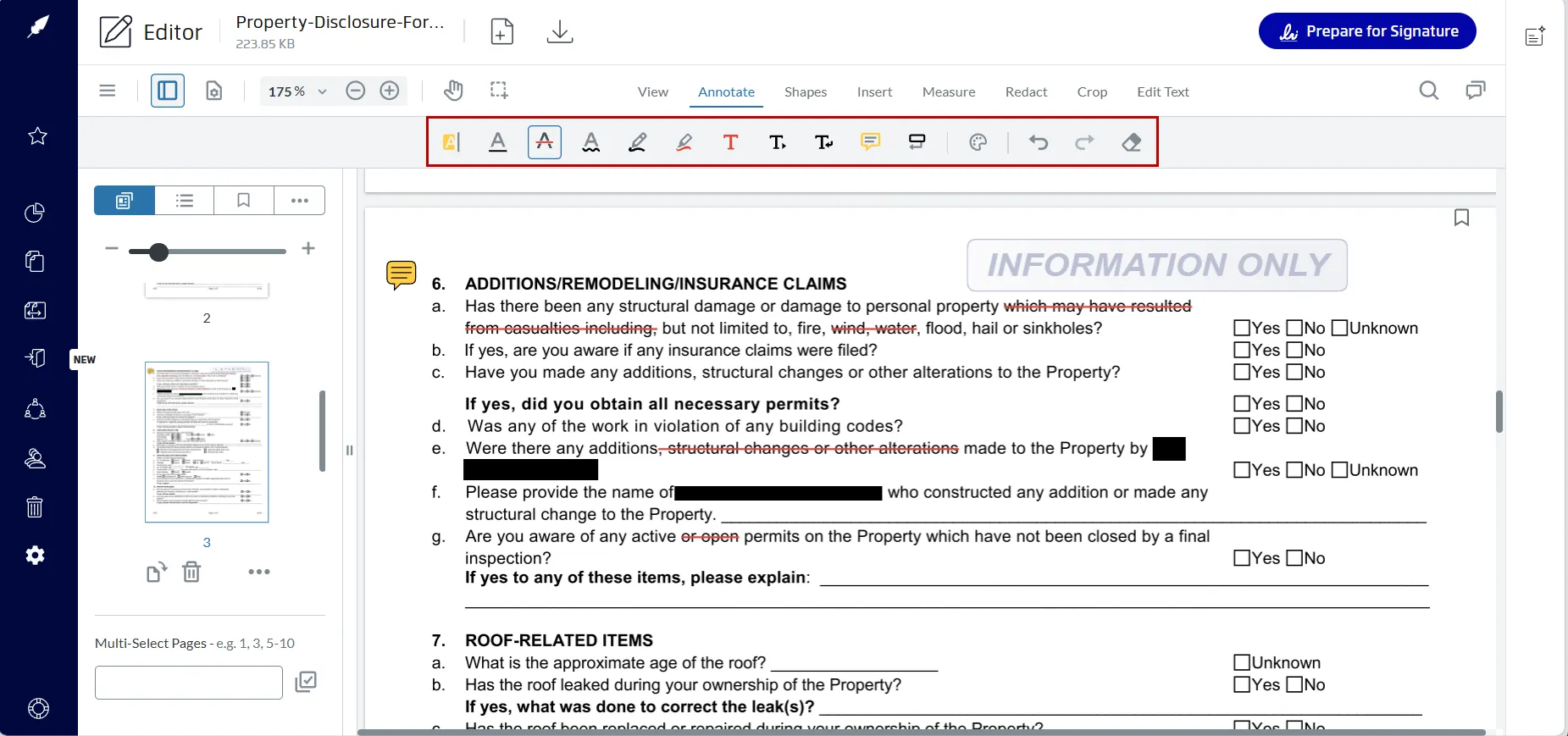
This helps users work with finalized PDFs or standard contract formats without switching between tools.
PandaDoc: drag‑and‑drop editor for proposals
PandaDoc offers a drag‑and‑drop editor designed for sales proposals, including:
- Collaborative editing
- Content libraries
- Custom branding
For teams working from fixed PDFs, these features introduce extra interface elements that may slow down simple signing tasks.
5. Which tool offers simpler e‑signature workflows?
Xodo Sign workflow
Xodo Sign keeps workflows limited to the steps required for e‑signing. Each step supports the signing process without extra add ons:
- Prepare the document
- Add signing fields
- Set order and auto-reminders
- Track signatures until completion
PandaDoc workflow
PandaDoc includes:
- Proposals and templates
- Product catalogs and pricing
- Automation and approval workflows
- Payment collection
This is helpful when a sales team wants to send a proposal, get a signature, and collect payment in one flow, but can add configuration steps and decisions that some teams would prefer to skip.
6. What do users say about Xodo Sign vs PandaDoc?
Both tools have strong reviews on G2 and Capterra, though they align with different use cases.
- Xodo Sign scores 4.8/5 from 2,821 reviews.
- PandaDoc scores 4.7/5 from 3,411 reviews.
- Xodo Sign scores 4.8/5 from 2,833 reviews.
- PandaDoc scores 4.5/5 from 1,242 reviews.
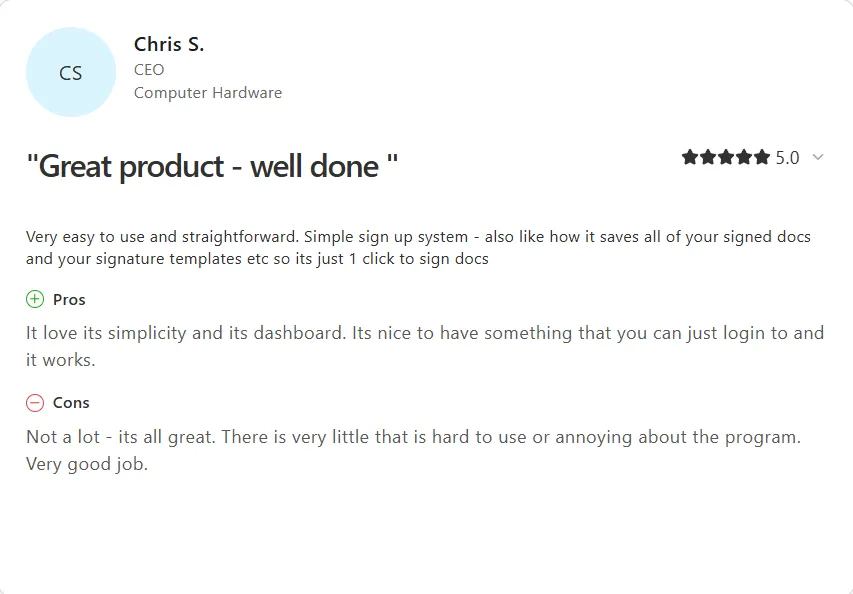
Xodo Sign receives higher ratings for ease of use, setup time, turnaround speed, and value. PandaDoc scores well for proposal creation, quoting, and sales‑focused workflows.
7. How do the API options compare?
Both solutions have an API option available, but at different pricing levels.
- API Sandbox: Free with 2 production documents
- API Light: Flat monthly price ($100 / month or $50 / month with annual billing) with 50 API documents.
- API Business: Custom pricing and usage.
Teams that want to see how Xodo Sign behaves in their workflow can schedule a live demo and review API usage in context.
PandaDoc API:
- API Developer: Flat monthly price ($40 / month) with 40 API documents. Sandbox available with a 14-day free trial for testing.
- Enterprise: Custom volume-based pricing per document sent.
8. Which tool is better for common everyday use cases?
Both tools support a wide range of business workflows, but each has a clear strength.
Use Xodo Sign if your focus is e‑signatures
Good fits include:
- HR onboarding and internal forms
- Legal agreements and contracts
- Real estate transactions
- Operations and vendor documents
- Small and mid‑sized businesses that need an efficient signing solution
Xodo Sign is built for straightforward online document signing without additional proposal modules.
Use PandaDoc if your focus is proposals and sales workflows
Good fits include:
- Proposal creation with branded templates
- Customer quoting
- Sales team workflows with pricing tables
- Organizations that depend on content libraries or CRM integrations
PandaDoc is strong when revenue teams need automation, quoting, and payment features around documents. This comes with more setup and configuration than a focused e‑signature tool.
Frequently asked questions
1. Can I import PandaDoc templates into Xodo Sign?
Yes. Export your PandaDoc template as a PDF, upload it to Xodo Sign, place the required fields, and save it as a new template.
2. What integrations does Xodo Sign support?
Xodo Sign connects with popular cloud storage tools, various app integrations, and a full API.
3. How does Xodo Sign handle document storage?
Xodo Sign stores drafts and completed documents in your account. You can also export documents to cloud storage services such as Google Drive, Dropbox, OneDrive, or Box for archiving or collaboration with other teams.
4. Are Xodo Sign signatures legally binding?
Yes. Xodo Sign supports legally binding e‑signatures and complies with major frameworks such as ESIGN, UETA, and eIDAS.
5. Does Xodo Sign support multi-user teams?
Yes. Xodo Sign supports multiple users per account. You can assign roles, manage permissions, and share access to documents.
6. Does Xodo Sign support bulk sending for multiple recipients?
Yes. You can prepare a single document once and send it to multiple recipients. Each signer receives their own copy, and Xodo Sign creates a separate audit trail for each completed document.
7. Are there document or signature limits in Xodo Sign?
No, all paid plans on Xodo Sign come with unlimited documents, so you can sign and send as many documents as you need.
Faster, simpler signing workflows with Xodo Sign
If your team needs a fast, compliant, and predictable e‑signature workflow, Xodo Sign keeps the process focused on what matters: preparing documents, collecting signatures, and tracking completion.
PandaDoc remains a strong choice for proposal‑driven, sales‑focused use cases. For teams that mainly need documents signed, Xodo Sign offers a more streamlined experience at a lower cost.
Explore how Xodo Sign compares to PandaDoc and try it in your workflow.